Okay, folks. So. Tumblr’s jumped the shark in a big way, and I’m not even just talking about indiscriminately blocking all “adult” content on a platform that IS, in fact, primarily 18+.
Many blogs, like the wonderful @blackkatmagic , that are not especially NSFW have vanished.
(And I for one LIKE being able to go to curated porn blogs run by actual people and have a chance of finding stuff to my taste, it was one of the things that kept me on this hellsite, but that’s another issue entirely.)
I know lots of people are talking about migrating, but none of us are sure to where yet. Pillowfort seems to be an option, some people are talking about Twitter. But for now, it’s a mess, and even if we knew where we were going, it’s often a huge process, and a lot of us have stuff on tumblr that ONLY exists there.
One possible quick solution to save your blogs, both NSFW and personal, is to import it to WordPress. I found this solution through from frantic googling on how to save an entire blog, text posts an all. There are several apps for downloading all the pictures from a tumblr, (Plently for Windows, but only a few paid ones for mac, of which Tumbelog Picture Downloader is working for me so far) but this is the only solution I’ve seen so far that allows you to save EVERYTHING. I downloaded my NSFW blog in like 10 min. My regular blog, which is significantly larger, is in the process of importing, but I don’t anticipate any problems. I will, of course, update you if I have any.
This tutorial I found worked really easily. http://quickguide (.) tumblr (.) com/post/39780378703/backing-up-your-tumblr-blog-to-wordpress
I put parenthesis around the .’s like we’re back in FF-Hell, just in case tumblr’s new thing about outgoing links kicks in. You know what to do.
To break it down, just in case:
Sign up for a WordPress.com account at wordpress (.) com/start
You’ll have to create an account, with your email, a username, and a password. They should send you a confirmation email immediately, check it, activate it, and you’re good to go.
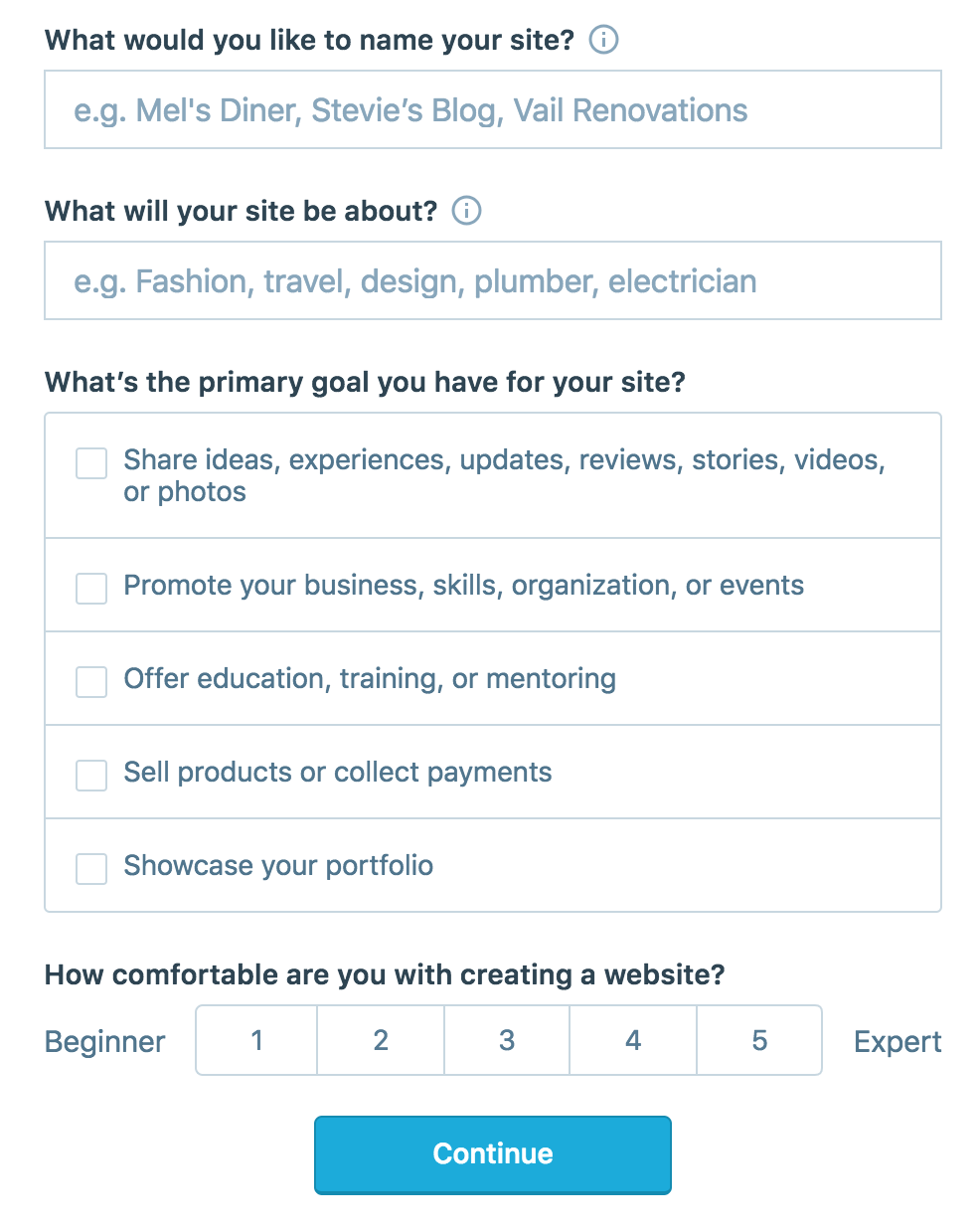
On the site, it will ask you for a site name. That page asks you a bunch of other information too, but you only have to fill out the site name.
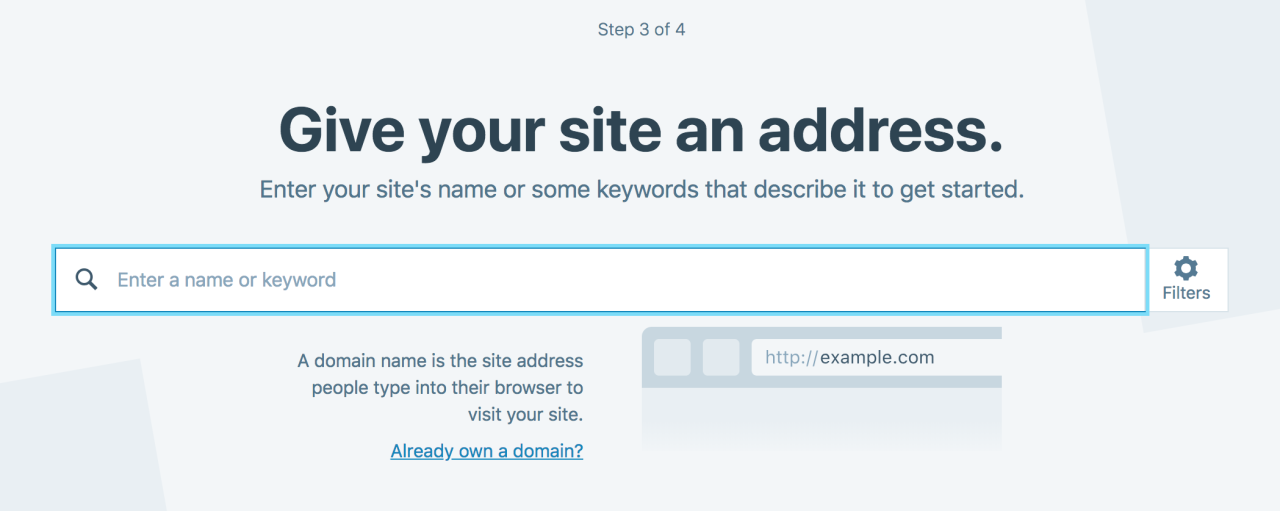
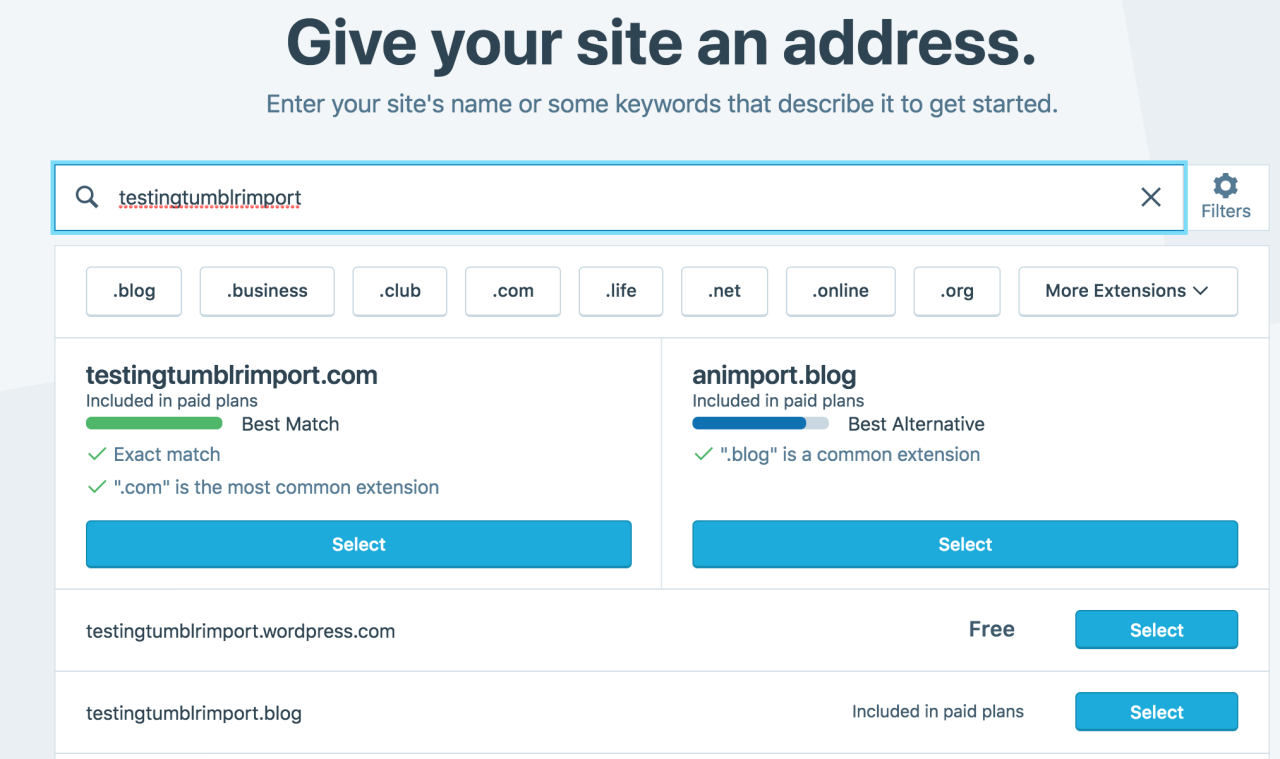
Then you have to give your site a URL. If you’re lucky, your tumblr URL is still available, if not you’ll have to come up with another one, sorry.
It will tell you if that option is still available for free.
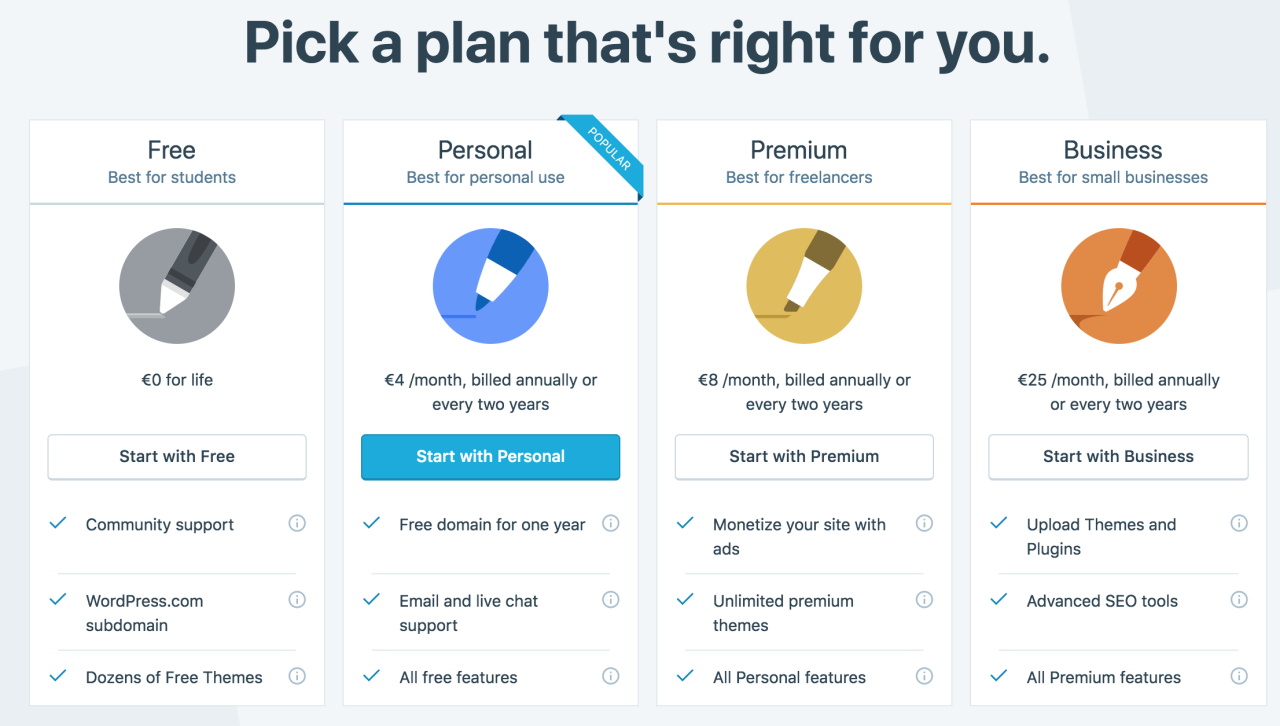
Then it will ask you to pick a plan. Free is really good enough, I swear.
Now you’re set up! You can import your tumblr!
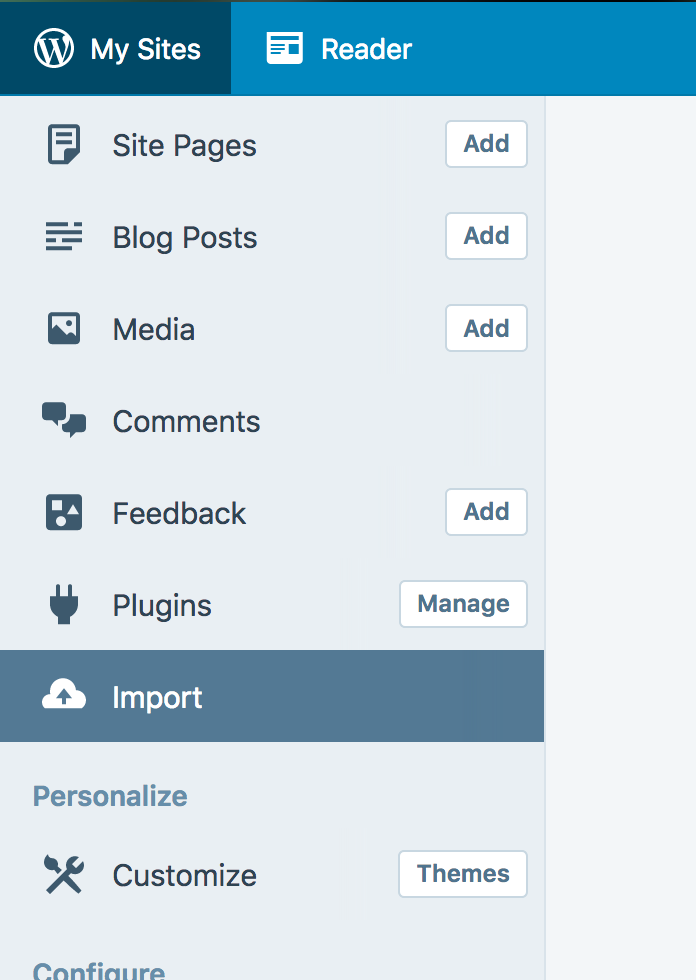
The only differences from the linked tutorial are that the Import button is now on the first level menu, not in tools.
Hit Import, then you have to follow the link for “other importers” at the bottom, to find the option for Tumblr.
Then you’ll have to sign in with tumblr, using your normal tumblr credentials. You’ll be redirected there automatically.
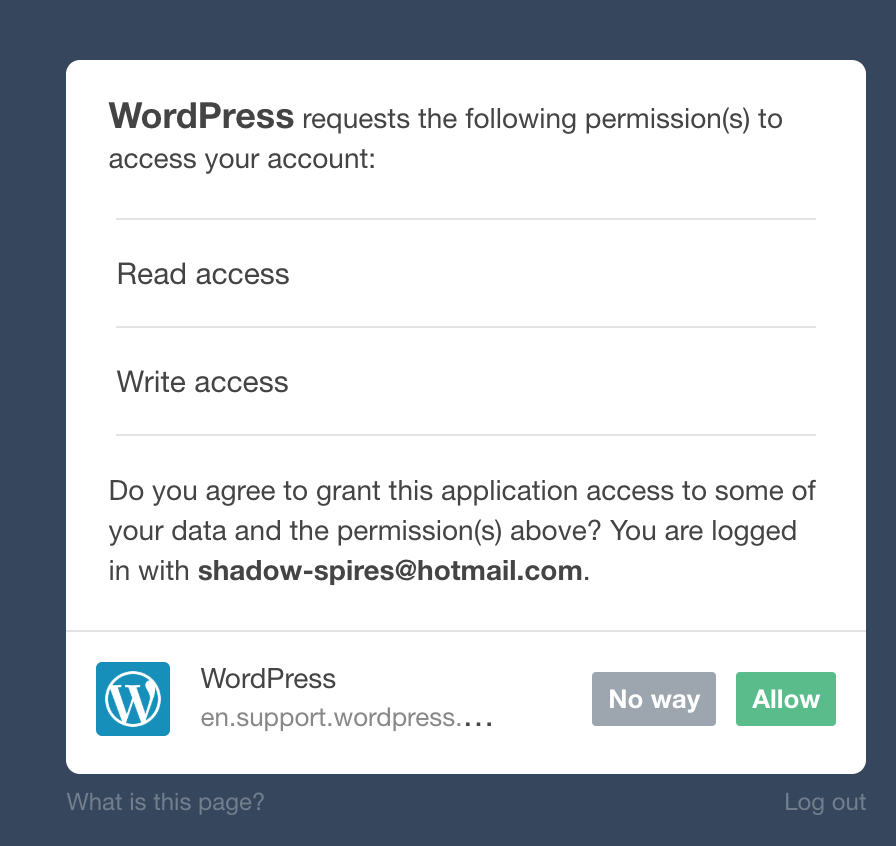
You’ll have to allow WordPress permissions on your blog.
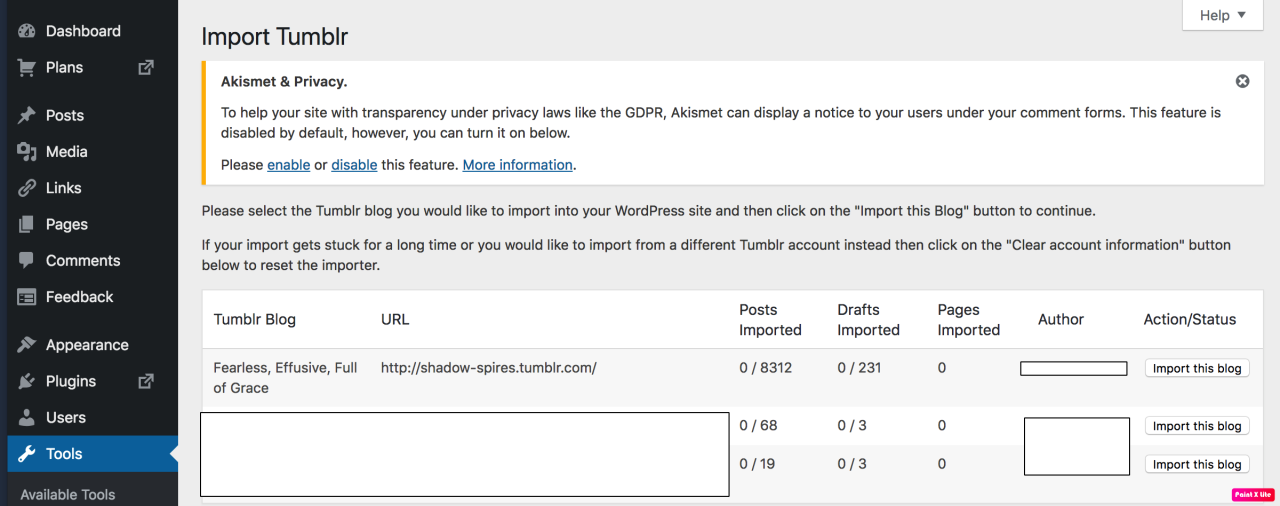
Then your blogs, including all your sideblogs, will show up in wordpress.
Hit import, wait a WHILE depending on the size of your blog, and you’re done!
ALSO!!
I made my NSFW blog private for now, since I don’t know WP’s policy on NSFW.
This means that to access it, someone has to have an account and request access. But hey, part of our problem on this hellsite has been people going places they aren’t wanted, so I don’t personally see this as a bad thing. They can send a request from the landing site on your blog, you get an email, click a link in the email, and PRESTO, they have access.
To make it private, go to Settings > Reading > Site Visibility. Go back and check, it took me changing the setting twice for it to actually stick.
tl;dr, you can import your entire blog to wordpress in just a few steps.
Edited almost immediately to add that WordPress allows posting reblogging, commenting, AND following, and so it seems like honestly the most logical next place for fandom in my opinion. It also allows a high degree of customization.
I’m going to tag the hell out of this, in no particular order. PLEASE reblog this and spread the word so people know it’s an option. If you’re having trouble, PM me, and I’m happy to help.
There are a whole bunch more, but that’s a start. Please reblog the hell out of this, so people are aware of this one simple option.
EDIT: We’re not sure yet about wordpress’ stance on NSFW, so definitely mark those blogs private for now. I had one person tell me they got nuked for one NSFW post on a 7 year old blog. Definitely look into other solutions for backing up your blog just in case Private isn’t good enough. There seem to be lots of options for Windows, including Python. A quick google search will turn up several. I’m still looking for a good option for Mac. Anyone know any?
So, to clarify what’s going to happen, here’s a handy checklist:
What will happen
Images of real-life nudity will be flagged
Flagged posts will be only viewable by the poster and nobody else
Flagged posts can be appealed and fixed if done so by mistake
That’s it
What will not happen
Blogs will not be indiscriminately deleted
Posts will not be indiscriminately deleted
Written smut will not intentionally be flagged
Illustrated or otherwise artistic nudity will not intentionally be flagged
Tumblr’s RP community, SFW or otherwise, will not implode upon itself
I really HOPE this is what will happen, but a few things that shouldn’t have happened seem to be already happening.
And this is not just an issue of whether or not the Purge will actually happen like we think. The staff’s attitude has clearly demonstrated that they don’t care about the state of the platform or its userbase as long as it doesn’t directly harm their benefits (aka their app being taken down in stores).
Instead of focusing their efforts into purging chi1d p*rn and p*rn bots, they’re just disabling nsfw altogether. And there’s no set guideline for what makes a (creative) content nsfw enough to get flagged and reported by tumblr algorithm.
And for many those are enough reasons to migrate to other social media platforms.
In the sidebar where it says “Blogs,” click on the blog you want to back up.
You’ll see the page that lets you edit the appearance of the blog, etc. At the bottom, you should see a button that says “Export blog.” Click that.
Tumblr will now take a shitload of time to create the backup (hours, or maybe even days if your blog has a ton of media posts) but eventually it’ll send you a link to download the backup. You don’t have to keep your browser open for that time, by the way.
Once you’ve got the link, click it and download! It should give you a ZIP file with a folder of HTML files for the posts and a folder for the media files.
In the sidebar where it says “Blogs,” click on the blog you want to back up.
You’ll see the page that lets you edit the appearance of the blog, etc. At the bottom, you should see a button that says “Export blog.” Click that.
Tumblr will now take a shitload of time to create the backup (hours, or maybe even days if your blog has a ton of media posts) but eventually it’ll send you a link to download the backup. You don’t have to keep your browser open for that time, by the way.
Once you’ve got the link, click it and download! It should give you a ZIP file with a folder of HTML files for the posts and a folder for the media files.
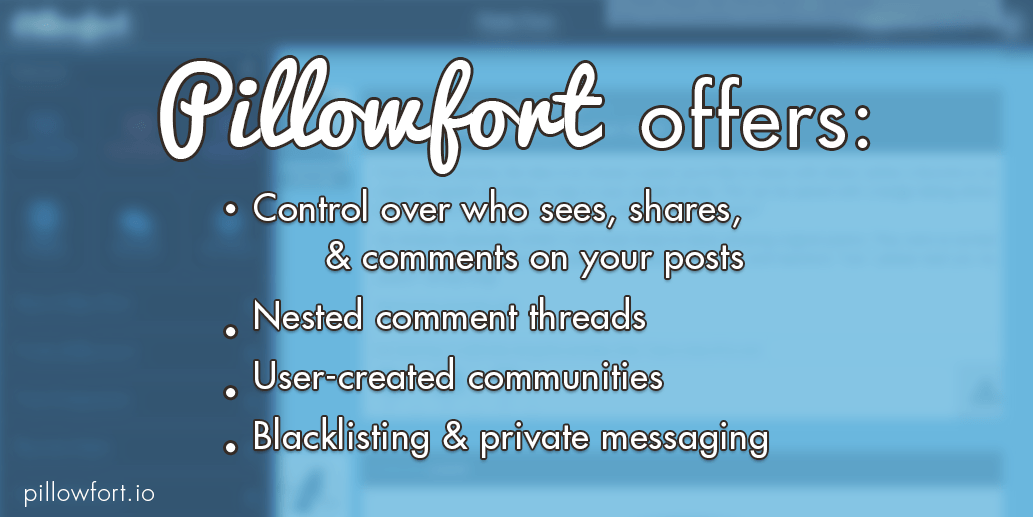
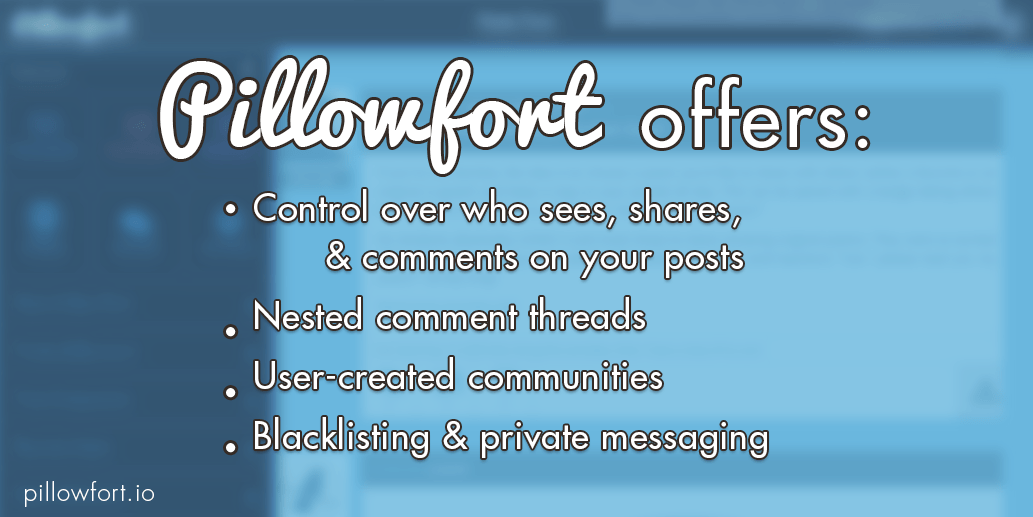
Tumblr is apparently doing some crazy nonsense again, so it seems like a good time to remind everyone that Pillowfort.io is a new social media platform that aims to give users control of their content and how it’s seen and shared, as well as provide better communication tools to promote conversation and creativity. If this sounds good to you, you can donate $5 to our PayPal and you will receive a registration link the Friday after your donation. And if you decide the site isn’t for you, you can request a refund for up to three weeks after you sign up. (All money we receive through this process is going towards paying our hosting expenses and compensating our programmers.)
Reblogging this in light of the recent news, since we’ve been getting a lot of questions from people looking to join. If you’ve sent us a payment since the 16th of November you will receive your invitation email shortly after the site returns, which will likely be tomorrow! If you want to purchase more than one registration link ($5 per link, so $15 for example would get you 3 registration links) you can give them to anyone you want– the ones you purchase are not tied to your account in any way.
Now, Pillowfort will not always require a payment to sign up; we are doing this because we are still in the process of implementing our subscription plan, which will be our source of long-term revenue, and these payments through PayPal give us funding to make sure we can pay all our server expenses, employee compensation, etc. while we are still working on implementing our business plan. Once we exit beta you will be able to join the site and use all of its essential features
for free, with the option to pay for some extra goodies similar to what LiveJournal and DreamWidth offer in their subscription plans.
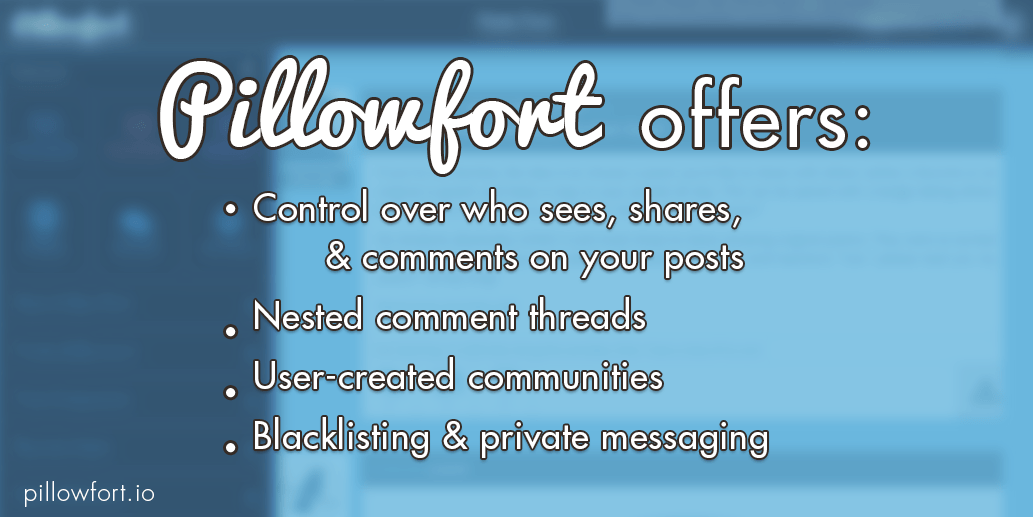
Tumblr is apparently doing some crazy nonsense again, so it seems like a good time to remind everyone that Pillowfort.io is a new social media platform that aims to give users control of their content and how it’s seen and shared, as well as provide better communication tools to promote conversation and creativity. If this sounds good to you, you can donate $5 to our PayPal and you will receive a registration link the Friday after your donation. And if you decide the site isn’t for you, you can request a refund for up to three weeks after you sign up. (All money we receive through this process is going towards paying our hosting expenses and compensating our programmers.)
Reblogging this in light of the recent news, since we’ve been getting a lot of questions from people looking to join. If you’ve sent us a payment since the 16th of November you will receive your invitation email shortly after the site returns, which will likely be tomorrow! If you want to purchase more than one registration link ($5 per link, so $15 for example would get you 3 registration links) you can give them to anyone you want– the ones you purchase are not tied to your account in any way.
Now, Pillowfort will not always require a payment to sign up; we are doing this because we are still in the process of implementing our subscription plan, which will be our source of long-term revenue, and these payments through PayPal give us funding to make sure we can pay all our server expenses, employee compensation, etc. while we are still working on implementing our business plan. Once we exit beta you will be able to join the site and use all of its essential features
for free, with the option to pay for some extra goodies similar to what LiveJournal and DreamWidth offer in their subscription plans.
Tumblr is apparently doing some crazy nonsense again, so it seems like a good time to remind everyone that Pillowfort.io is a new social media platform that aims to give users control of their content and how it’s seen and shared, as well as provide better communication tools to promote conversation and creativity. If this sounds good to you, you can donate $5 to our PayPal and you will receive a registration link the Friday after your donation. And if you decide the site isn’t for you, you can request a refund for up to three weeks after you sign up. (All money we receive through this process is going towards paying our hosting expenses and compensating our programmers.)
Reblogging this in light of the recent news, since we’ve been getting a lot of questions from people looking to join. If you’ve sent us a payment since the 16th of November you will receive your invitation email shortly after the site returns, which will likely be tomorrow! If you want to purchase more than one registration link ($5 per link, so $15 for example would get you 3 registration links) you can give them to anyone you want– the ones you purchase are not tied to your account in any way.
Now, Pillowfort will not always require a payment to sign up; we are doing this because we are still in the process of implementing our subscription plan, which will be our source of long-term revenue, and these payments through PayPal give us funding to make sure we can pay all our server expenses, employee compensation, etc. while we are still working on implementing our business plan. Once we exit beta you will be able to join the site and use all of its essential features
for free, with the option to pay for some extra goodies similar to what LiveJournal and DreamWidth offer in their subscription plans.


 TechieHux